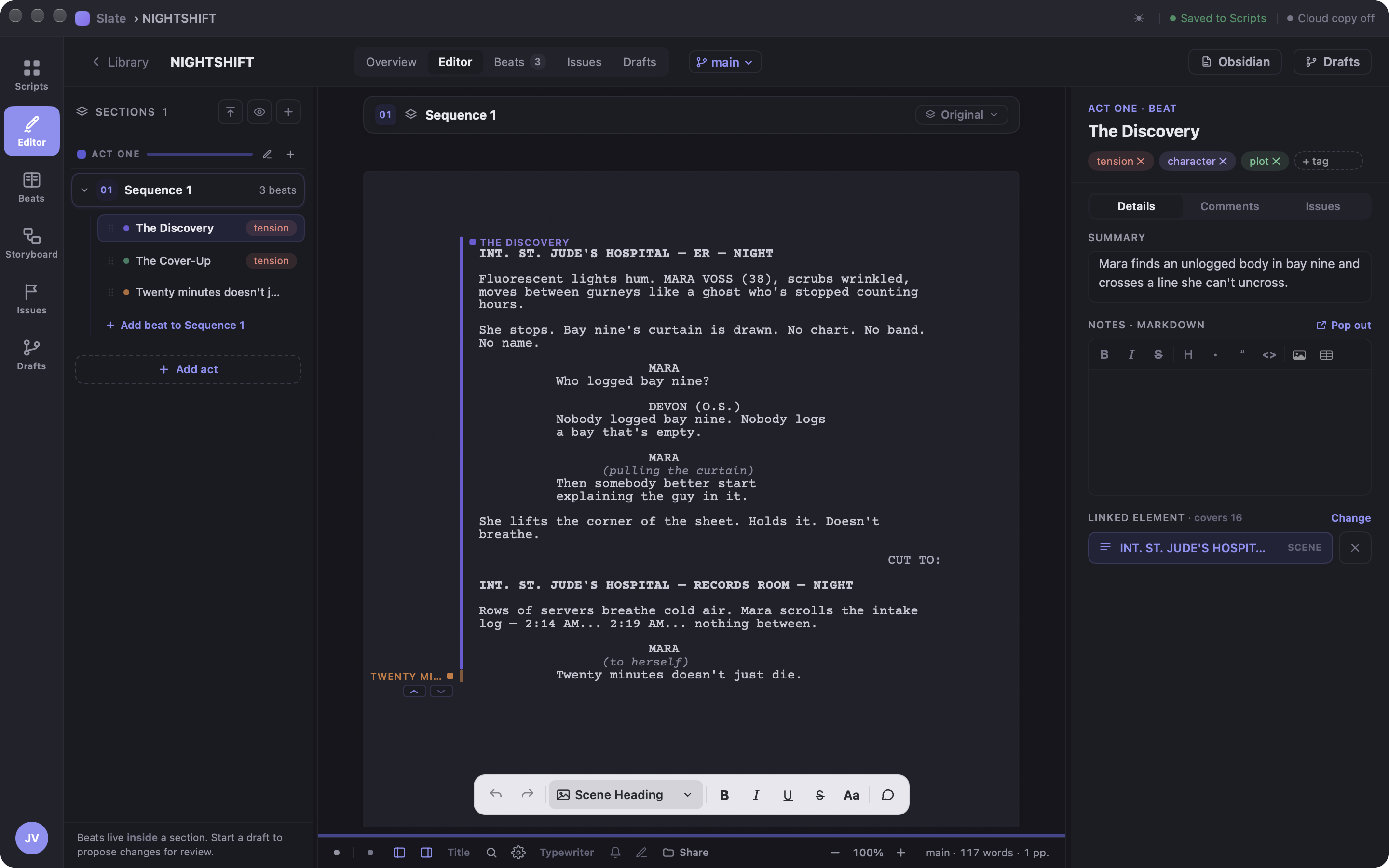
The outline and the pages, finally in the same room.
Beats aren't a separate document you forget to update. In Slate a beat covers real lines of the script — so the story structure and the pages can't drift apart.
Beats pinned to lines
⌘⇧B turns the line you're on into a beat. Each one carries a summary, tags, rich notes, and its own comment thread — and washes its covered lines in a soft color band so you can see structure while you write.
But / Therefore, made visible
Every beat declares how it follows the last one — but, therefore, meanwhile, or and. A column of ANDs is the board telling you the story has stopped causing itself.
A corkboard wired to the pages
The Beat Board shows every beat as a card under its act. Drag a card to another act and its script elements travel with it — restructure the story and the pages follow. Not a diagram of the script; a handle on it.
Sections with a Focus switch
Cold open, acts, stinger — split the script however your show needs, or a book into chapters and the scenes inside them. Focus mode shows one section and hides the rest; each section can also hold named alternate versions you can compare and swap in place.
Issues and margins
Log story problems where they live — against a section or beat, with severity and a to-do / in-progress / solved state. Threaded comments anchor to actual lines, Google-Docs style. Solve the last open issue and Slate says so: "All issues solved. Clean slate."
Notes that hold anything
Beat notes are a full markdown editor — headings, tables, images, blockquotes — with the little courtesies: type -> and get →, pop the notes out into their own window when they outgrow the margin.