INT. YOUR NEXT DRAFT — DAY
NEW IN 3.0 Now Mac native — rebuilt in Swift, optimized for your Mac

Every version of the story, without losing the one that works.

Slate is a native Mac writing app built around drafts — screenplays and novels on the same shelf. Try the bolder cold open, compare it side by side with the original, and keep whichever one sings. No more NIGHTSHIFT_v7_FINAL_final2.fdx

Slate 3 is Mac native and optimized: your library in about 0.4 seconds, a 13 MB download, on Apple silicon and Intel.

Native on Apple Silicon & Intel · macOS 14 or later · Your pages stay on your disk · 30-day free trial, then $79/year
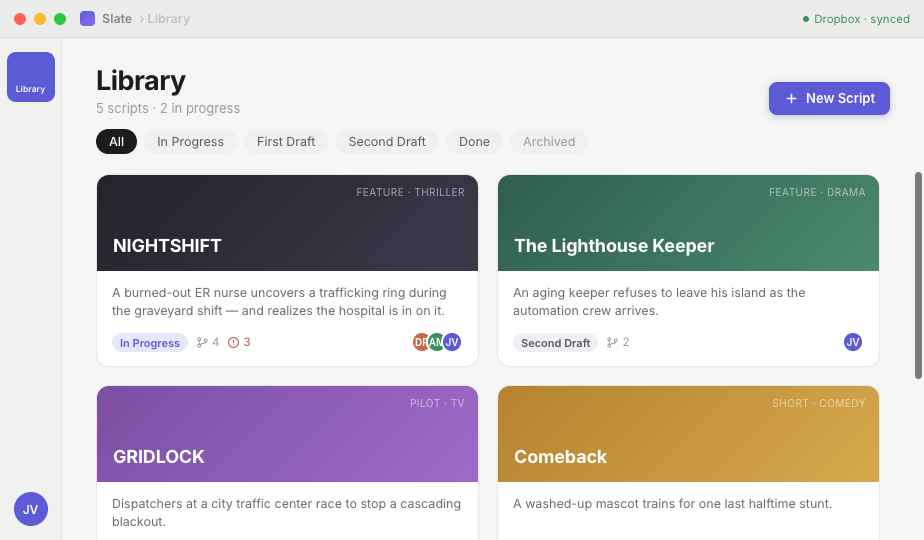
The Slate 3 library: four scripts as posters in different looks — a script cover page, a marquee of lights, a noir title card and the Slate gradient — under two projects and two folders
⑂

Drafts, without the fear

Every "what if" gets its own safe copy. Rewrite Act Two — or Chapter Nine — on its own while the real draft stays untouched, then compare and choose.

✎

Co-writing without the chaos

No two cursors fighting over one page. Your writing partner sends a proposed revision; you read it like notes, comment, and accept — or don't.

✦

A joy to open

A Mac-native app, built with Apple's own frameworks: about a 13 MB download, and a 128-page script opens in a fifth of a second. Then a wall of posters and warm paper tones — software you actually want to spend the night with.

NEW IN 3.0 — MAC NATIVE

Mac native, and quick about it.

Slate 3 is rebuilt from the ground up in Swift, with Apple's own frameworks — SwiftUI and AppKit for the window, Apple's text system for the page. There's no web browser inside. The layout, the features and your files are the ones you know from Slate 2; it just runs like a Mac app now.

0.4s

from launch to your library on screen.

13MB

to download. Slate 2 was 218 MB.

26MB

on disk. Slate 2 took 491 MB.

~110MB

of memory with a 120-page feature open. Slate 2 used 183 MB.

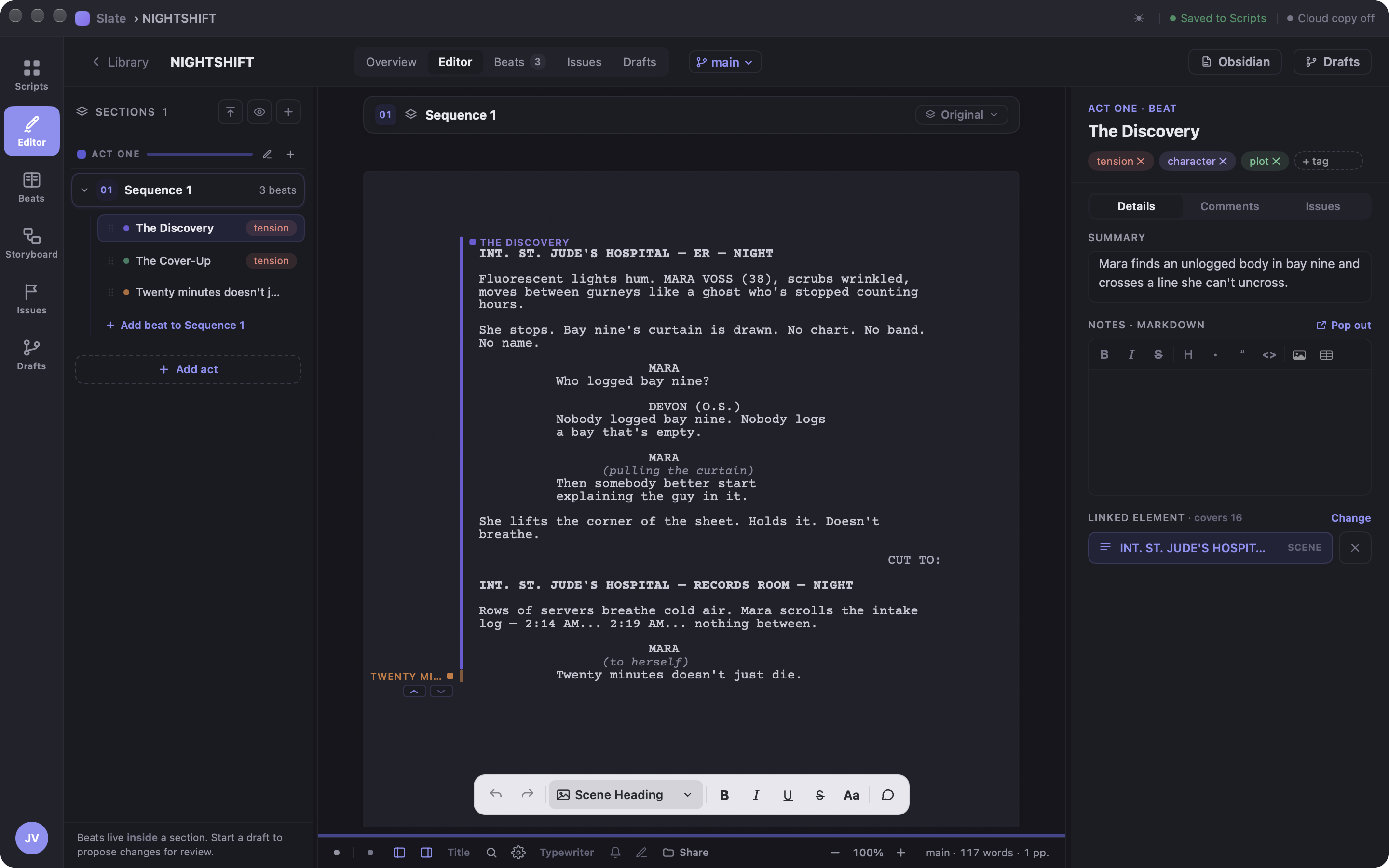
The Slate 3 editor in the Midnight theme: the beats rail on the left, a screenplay page with its beat marked in the margin, the beat's details on the right and the floating editing bar at the bottom

One download for every Mac

A universal app that runs natively on Apple silicon and Intel, on macOS 14 Sonoma or later.

It behaves like a Mac app

A real menu bar with every shortcut listed, proper sheets, a Settings window (⌘,), and macOS spell check right on the page.

Light, dark, or both

Seven themes: pick one, follow the system's Dark Mode, or let Slate switch by the clock. Every colour is as vivid as it was in Slate 2.

Steady while you write

A 128-page script opens in about a fifth of a second, and the window holds still while you type. Updates download in the background and install when you quit.

Systemmatch macOS
Autoday & night
Paperwarm light
Daylightcool light
Midnightcool dark
Noirwarm dark
Terminaltrue black

Measured on an Apple silicon Mac with Slate's demo library; your numbers will vary with your Mac and your scripts.

NEW IN 2.0

One app. Two shelves.

Slate writes books as well as screenplays now — the same library, the same licence, the same drafts, with a different page under the words. Your screenplays are exactly where you left them. (The name is from the day job. It stuck.)

Two shelves in the sidebar — one library
NOVEL · 2ND DRAFT
Salt House
11 chapters · 60,188 words
NOVEL
The Low Field
6 chapters · 21,400 words
NOVELLA
Gulls
4 chapters · 9,310 words
NOVEL · BLANK PAGE
Untitled
Chapter One · 0 words
CHAPTER THREE
The Weir

The weir had been her grandfather's, and his father's before that, and every winter since the war it had held the river back from the low field by an argument nobody had ever won outright.

Nell walked the bank at first light because that was when the water told the truth. By noon the sun was on it and it flattered itself. At six in the morning it was only what it was: cold, unhurried, and rising.

She counted the stones the way he had taught her, left to right, and stopped at the seventh.

6″
9″

A real trade page

Books are set on a 6×9″ sheet in Iowan Old Style, with book margins rather than screenplay ones — and Slate measures the text with the same engine that draws it, so where a page ends is measured rather than assumed.

Chapters open on their own page

A chapter starts fresh, under its name, the way a book does. The three-level spine you already know is renamed for prose: chapters hold sections, sections hold beats.

The board speaks book

The beat board and the storyboard came along, with book vocabulary — chapters where a screenplay has acts. Planning a novel wants a board no less than planning a film does.

A Markdown twin, always

Every book keeps a readable .md file beside it — front matter, ## chapter headings, real paragraphs — so the manuscript is never locked in. Screenplays keep their .fountain twin, as always.

What it isn't, yet. Books are for writing, not for publishing: there's no EPUB, no KDP export, no running heads or folios. The 6×9 trim is real; the bindery isn't.

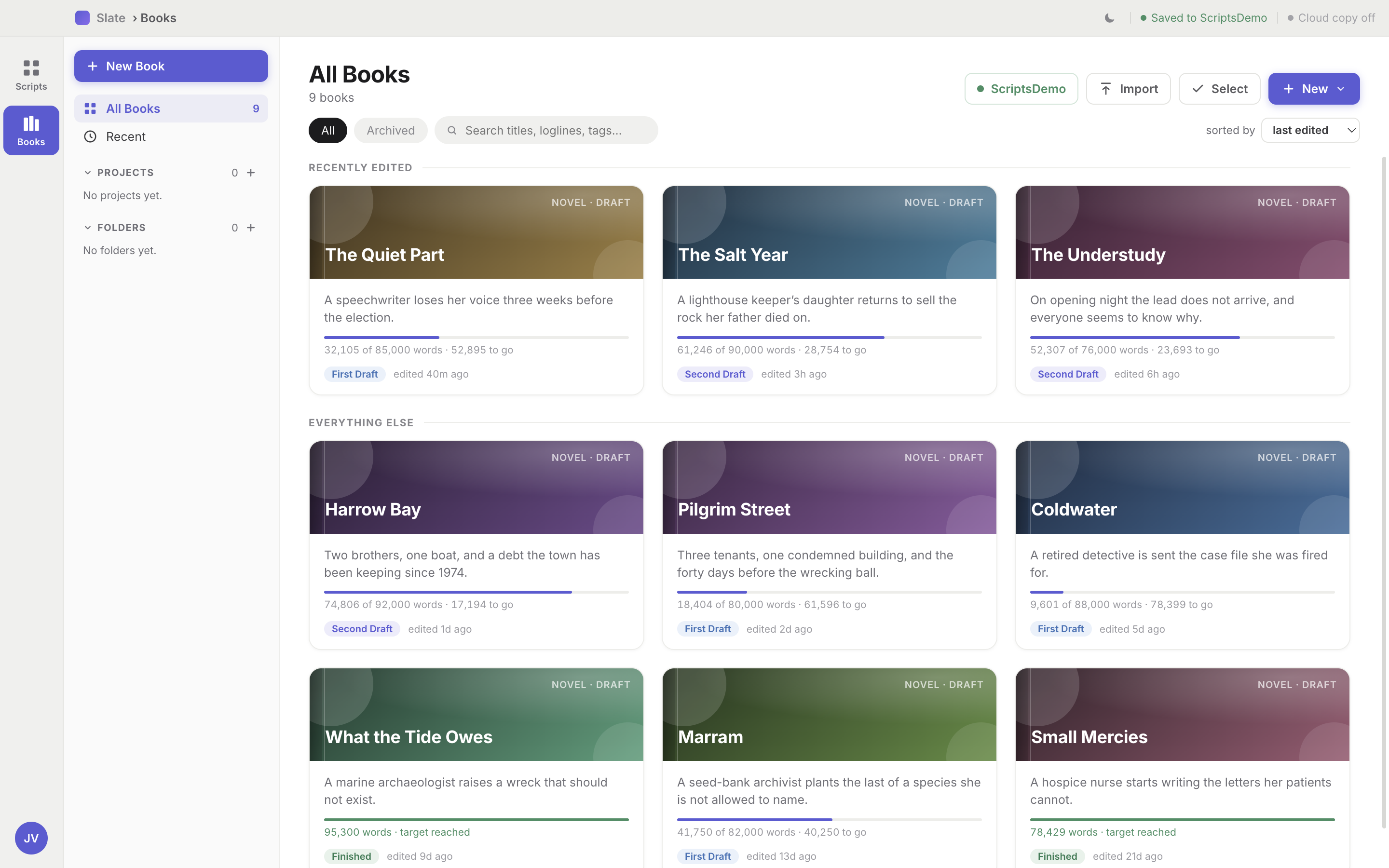
The Books shelf in Slate 3 at the large poster size — novels as posters in different looks, each with its status and a word-count bar

Every book is a poster on the shelf, and carries its own word target: the bar under it fills as you write, and turns green when you get there.

THE TOOLKIT

Everything between the first idea and the last page.

Slate keeps the story and the pages in one place — beats, sections, and drafts all talk to each other. All of it works the same whether the document is a screenplay or a book.

tension setup character plot

Beats, pinned to the page

A beat isn't a sticky note somewhere else — it's linked to the actual lines it covers. Tag it, summarize it, keep director's notes and comments beside it. When the scene moves, the beat moves with it.

⌘⇧B on any line turns it into a beat.

The Slate 3 editor: the beats rail on the left, the page with the selected beat marked in the margin, the beat's summary, tags and notes on the right, and the editing bar floating at the bottom
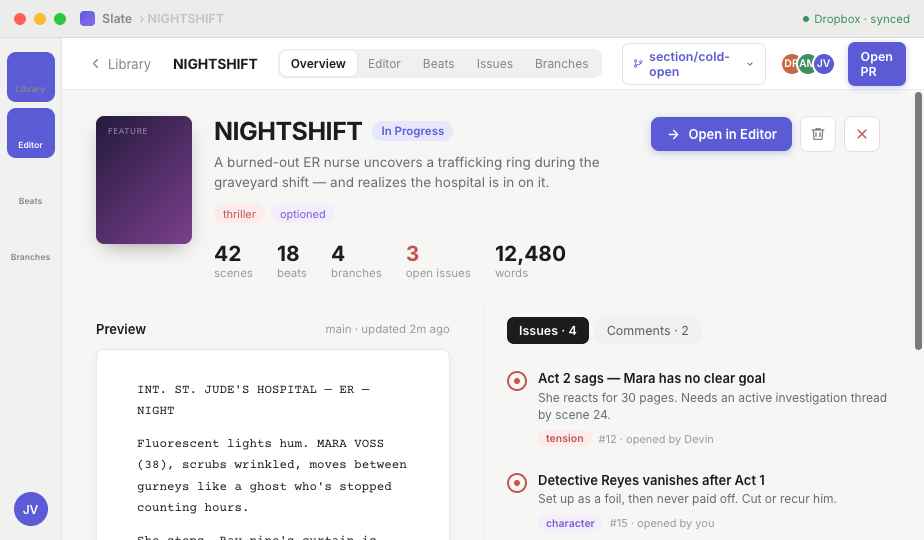
A script's Overview in Slate 3: its poster, logline, page, scene, beat and word counts, a preview of the pages, and the Issues and Comments column

A library that reads like a shelf

Every script — and every book — is a poster on the wall: fourteen looks, or your own cover image, at the size you like. Each gets a logline and a status too: To Do through Finished, renameable to match how you actually work. The overview page shows scenes or chapters, beats, drafts, and open issues at a glance. Organize with folders and projects, save locally with a second copy in any cloud drive, export a script to PDF, Fountain or Final Draft — and every book keeps a Markdown twin on disk.

01 Focus 3 versions

Sections

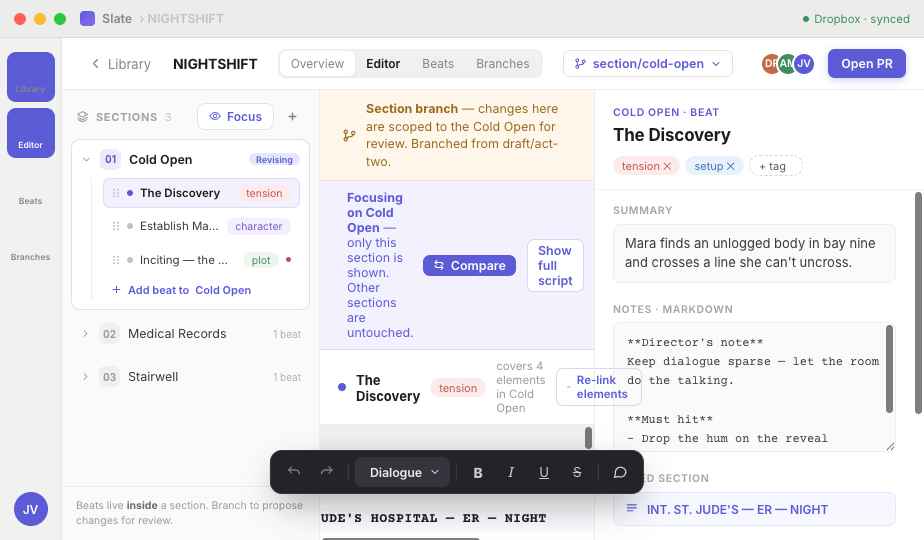
Split the script into a cold open, acts, a stinger — or a book into chapters and the scenes inside them. Focus on one section while the rest holds still, keep alternate versions of it side by side, and scope a whole draft to just that section when one scene needs surgery.

Beat Board

The whole story on one board — beats as cards, acts as columns, or chapters if you're writing a book. Drag a beat somewhere new and its pages travel with it. It's the corkboard, except the index cards are wired to the pages.

Take the full tour — every feature, scene by scene →

THE BIG IDEA

Drafts, in plain English.

Software teams have had this for decades; writers got "Save As". Here's the whole system, in four moves — the same four whether you're on page 30 of a pilot or chapter nine of a novel. Click through:

1You write

Your script lives on "main" — one clean, current version. Every save is a moment you can come back to.

2You rewrite

Want to try the bolder cold open? Start a new draft. The original stays untouched while you experiment — the whole script, or just one section.

3They propose

Your co-writer works on their own draft and sends you a proposed revision — you read it like notes, not like a surprise.

4You choose

Compare the two side by side, keep what sings, and merge. One script. No version-seven-final-final.

main — the script everyone trusts FADE IN Act One locked draft/bolder-cold-open PROPOSED REVISION · from Amira Tighten the cold open Merged ✓
The straight line is your script. Each dot is a saved moment — a draft you can always return to.

Compare, line by line

− She lifts the corner of the sheet.
+ She stops. The sheet is wrong-sized.
  CUT TO BLACK.

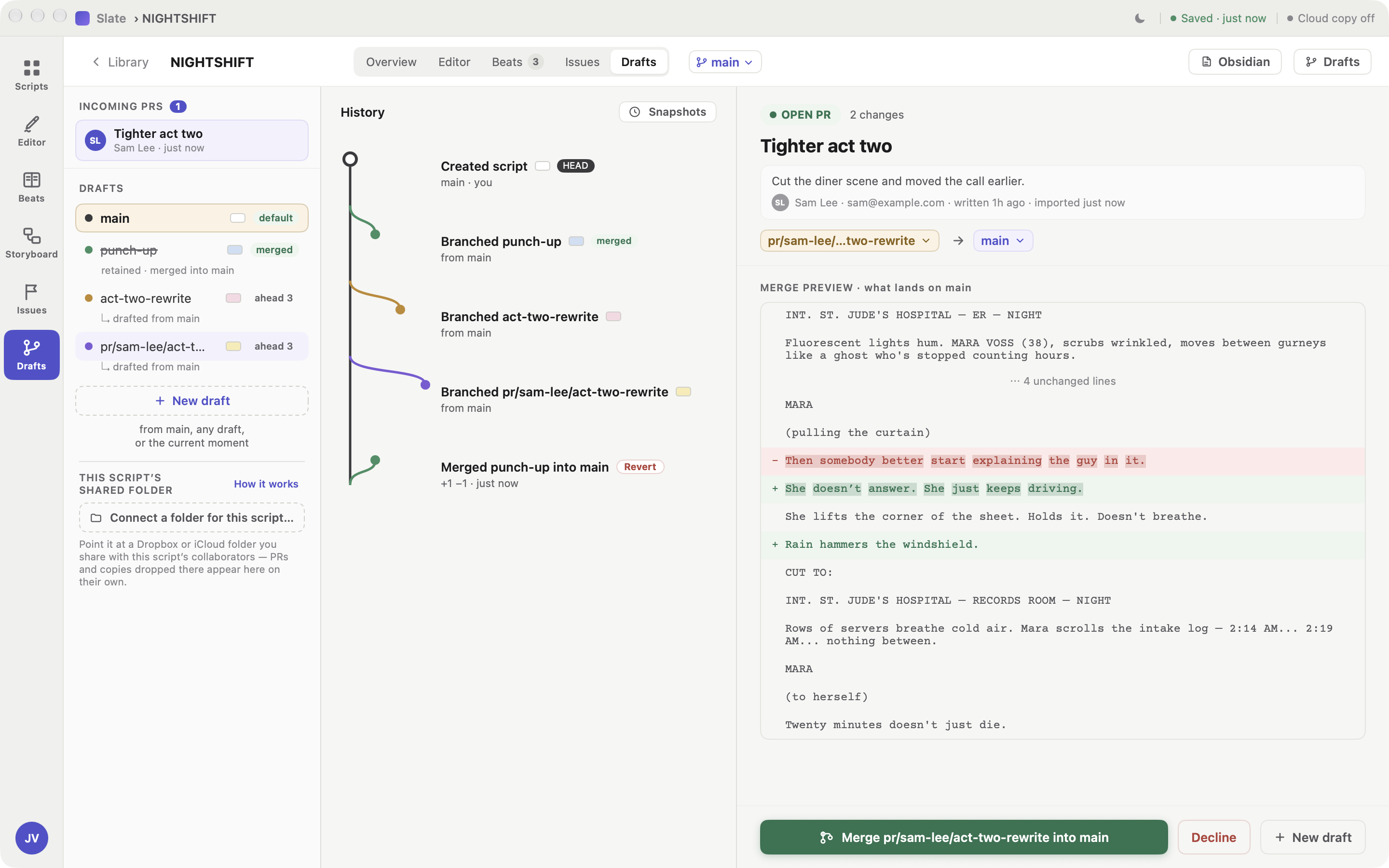
Cut lines in red, new lines in green — two drafts side by side, so "which version is better?" is finally a question you can see.

Proposed revisions

AM Amira sent a revision · ✓ you approved

Instead of both of you typing over one another, a co-writer works on their own draft and sends it over when it's ready. You read the whole change, leave comments in the margins, and merge it when you're sold. You always have the final cut.

Shared folders, not servers

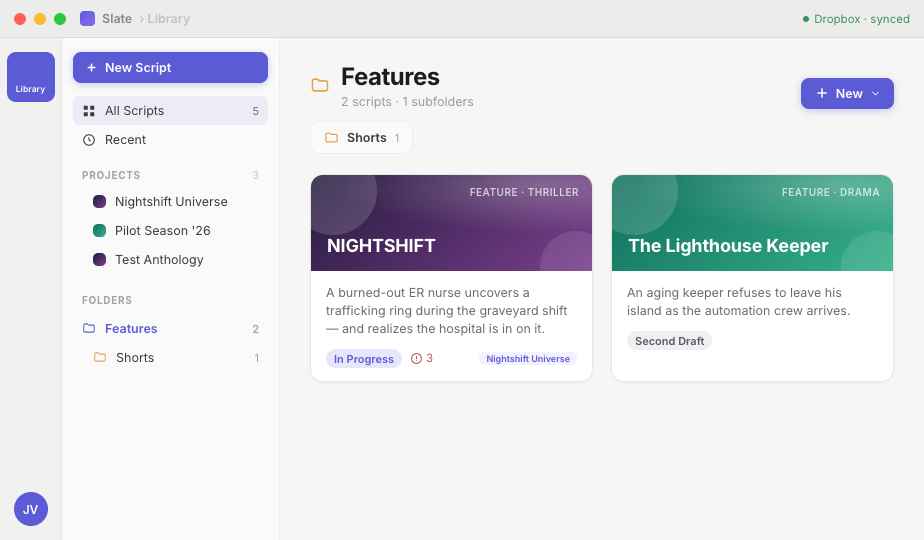
Projects and folders in the Slate library: each project card carries a small fan of its scripts' posters

Point a script at any shared folder — Dropbox, Google Drive, or any shared cloud provider. Everyone's drafts live beside the script; proposals flow through the folder. Your pages never sit on someone else's server.

The Drafts screen in Slate 3: incoming proposals and every draft on the left, the history graph in the middle, and a co-writer's proposed revision on the right with its merge preview — cut lines in red, new lines in green

The Drafts screen: every draft and where it came from, the history of forks and merges, and exactly what a proposed revision would change before you merge it.